

MOBILE BANKING

Get the Central Bank Mobile App
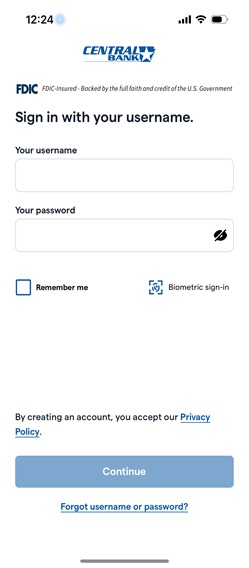
CentralBankAR Mobile Banking by Central Bank allows you to bank on the go.
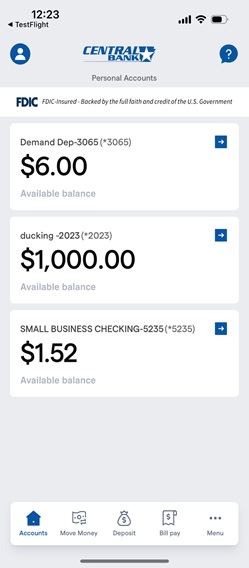
It’s free to download and offers quick access for managing your bank accounts. Check your balances, pay bills, transfer money, make deposits, and locate ATMs and banking centers with just a touch. Mobile Banking is fast, secure and free. Use your current login information to start banking today.1
New Features in Flex Mobile!
We’ve made some major upgrades to your mobile banking experience — giving you more convenience, more control, and greater flexibility, all in one app.
- Reset Your Password — Right from the App
No more switching to a browser! You can now reset your password directly in the Flex Mobile App. Quick, secure, and seamless — just the way it should be. - External Transfers — Now on Mobile
You asked, we delivered. You can now make External Transfers right from the app. Move money between your accounts at different financial institutions anytime, anywhere. - Bill Pay — Simplified and Supercharged2
Paying bills has never been easier. Schedule, track, and manage all your payments in one place — right from your phone. Set it and forget it or take control with just a few taps! - Mobile Deposit — Snap, Tap, Done
Skip the trip to the branch! Deposit checks anytime, anywhere by simply snapping a photo. It’s fast, secure, and always at your fingertips. - Debit Card Controls — Power in Your Pocket
Take control like never before. Instantly lock or unlock your debit card, set spending limits, get real-time alerts, and manage your card usage — all from the palm of your hand. - One Digital Experience, Your Way
With the launch of Flex Mobile, Flex becomes a single digital channel. Whether you choose to bank via the mobile app or online — it’s simply your preference. Your experience stays consistent, no matter how you access it. - Ready to Explore?
Update or download the Flex Mobile App today and enjoy a better way to bank with Central Bank.
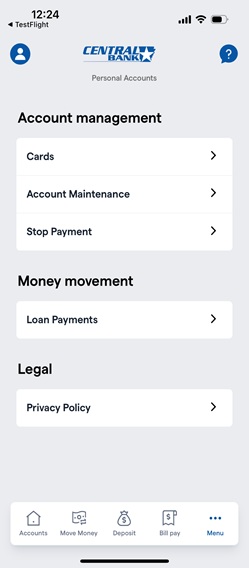
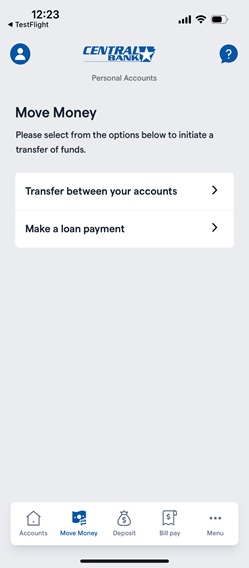
- Must be an Online Banking Customer.
- Online customers must first setup transfer and bill pay accounts prior to using these features.